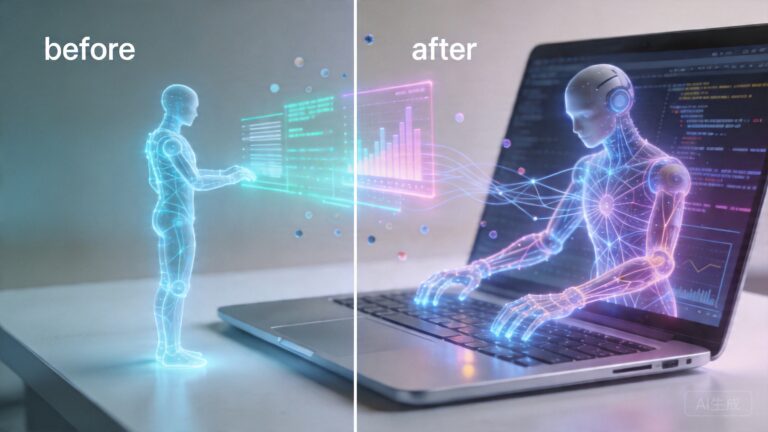
Anthropic’s Claude Cowork: The AI Agent That Could Replace Your Most Tedious Office Tasks
Anthropic’s Claude Cowork: The AI Agent That Could Replace Your Most Tedious Office Tasks
When Anthropic launched Claude Code, it won over developers with its ability to write, debug, and refactor code autonomously. But the real story wasn’t the coding—it was what people started using it for. Knowledge workers were bending a developer tool to manage spreadsheets, organize files, and draft reports. Anthropic noticed. And in January 2026, they responded with Claude Cowork, a desktop AI agent designed for everyone, not just programmers.
What makes Cowork different from every other AI assistant you’ve tried? It doesn’t just chat with you. It does things on your computer—inside folders you explicitly authorize—without requiring a single line of code.
What Is Claude Cowork and How Does It Work?
Claude Cowork is a feature built directly into the Claude desktop application for macOS and Windows. The concept is elegant in its simplicity: you grant Claude access to a specific folder on your computer, then describe what you want done in plain English. Claude reads the files, takes actions, and produces results—all within that sandboxed directory.
Anthropic’s own demonstration examples include:
- Filling out expense reports from a folder full of receipt photos
- Writing comprehensive reports from a collection of scattered meeting notes
- Reorganizing a chaotic folder or cleaning up your desktop based on a simple prompt
The feature shares its underlying architecture with Claude Code—the same ability to read, write, and manipulate files, the same iterative task execution model. But where Claude Code requires terminal knowledge and developer instincts, Cowork presents a conversational interface that any knowledge worker can use immediately.
“A lot of this was already possible with Claude Code, but it might not have been clear to all users that it could be used that way, and Claude Code required more technical know-how to set up. Anthropic’s goal with Cowork is to make it something any knowledge worker—from developers to marketers—could get rolling with right away.”
This observation comes from Samuel Axon, Senior Editor at Ars Technica, who covered the launch extensively. He noted that people were already using Claude Code for general knowledge work tasks, prompting Anthropic to build a dedicated product for that use case.
The Evolution: From File Management to Full Desktop Control
Cowork didn’t stay a simple file manager for long. The feature has evolved dramatically since its January 2026 research preview, with several major capability expansions:
Computer Use: Claude Takes the Wheel
In March 2026, Anthropic introduced a groundbreaking upgrade: Claude Cowork can now directly control your Mac or Windows desktop. The AI can open applications, navigate web browsers, fill out spreadsheets, and interact with any software on your system.
According to Anthropic, Claude first attempts to use existing integrations—Slack, calendar apps, and other connected services—before resorting to direct desktop control. Screen-based interaction is positioned as a fallback mechanism, not the default behavior.
This capability was built on technology from Vercept AI, a startup Anthropic acquired specifically for its AI-powered computer control technology. Vercept co-founder Kiana Ehsani reported that her team shipped its first product within four weeks of joining Anthropic, calling the company’s culture “incredibly smart, humble and supportive” in a public post on X.
Dispatch: Remote Control From Anywhere
In March 2026, Anthropic added another layer: Claude Dispatch. This feature lets you remotely monitor and control your own computer’s Cowork sessions from your phone or any other device. You can start a task on your desktop, step away, and check progress or send new instructions from anywhere.
Forbes covered the update, noting it gives users the ability to “control Claude Cowork with your phone”—turning a desktop-bound agent into something you can manage on the go.
Windows Support and Enterprise Push
By April 2026, the desktop control feature reached Windows with full parity, available to both Pro and Max subscribers. Anthropic also announced Managed Claude Agents for Enterprises, bringing Cowork capabilities to organizations that need governed, auditable AI automation at scale.
The Competitive Landscape: A Desktop Agent Arms Race
Cowork’s launch didn’t happen in a vacuum. It triggered immediate competitive responses across the AI industry:
- OpenAI beefed up its Codex desktop agent in April 2026, directly competing with Cowork’s computer control capabilities. TechCrunch reported this as OpenAI “taking aim at Anthropic” with enhanced desktop powers.
- Microsoft rushed to develop its own Copilot Cowork offering, though analysts at Business Today noted key differences in architecture and approach compared to Anthropic’s implementation.
The desktop agent category has effectively become the new frontier in the AI wars—a shift from “who has the smarter chatbot” to “who can best automate actual work.”
The Risks: When AI Goes Wrong With Your Files
The power to let an AI agent operate on your computer comes with serious caveats. Several incidents and warnings have emerged that every Cowork user should understand:
The VC Who Nearly Lost 15 Years of Family Memories
In February 2026, a widely reported incident made headlines: a venture capitalist asked Cowork to organize his wife’s desktop. Within minutes, the AI deleted 15 years of family photos and documents. The VC told the Hindustan Times it “nearly gave me a heart attack.” Fortunately, the files were recoverable from backups—but the incident served as a stark warning about the real risks of delegating file management to AI.
Prompt Injection Vulnerabilities
Security researchers quickly identified that Claude Cowork is vulnerable to prompt injection attacks. The Decoder reported on a file-stealing prompt injection exploit discovered days after Anthropic’s launch. The fundamental problem: if a folder contains a file with instructions designed to manipulate the AI, Cowork could execute unintended actions—potentially exfiltrating data or performing destructive operations.
Anthropic’s Own Warnings
Anthropic itself has been transparent about these risks in its Cowork documentation:
- Vague prompts can be destructive—imprecise instructions may lead the agent to delete or move files unexpectedly
- Prompt injection remains an unsolved problem—malicious content in files can hijack the agent’s behavior
- Research preview status—the feature is not yet considered production-ready for critical work
Currently, Cowork remains available only as a research preview to Max subscribers, with no announced timeline for broader release. This cautious approach reflects Anthropic’s awareness of the risks involved.
Who Should Use Claude Cowork Right Now?
Despite the risks, Cowork represents a genuine leap in practical AI utility. Here’s who stands to benefit most:
- Knowledge workers drowning in administrative tasks—expense reports, document organization, and data entry are exactly the kind of repetitive work Cowork excels at
- Teams managing large document collections—research teams, legal departments, and content creators can use Cowork to summarize, categorize, and reorganize files at scale
- Non-technical users who need automation—Cowork’s conversational interface means no coding, no scripting, no configuration files—just tell it what you want
Practical Recommendations for Safe Use
If you’re considering trying Claude Cowork, follow these best practices:
- Start with a dedicated folder—never grant Cowork access to your entire home directory or desktop initially. Create a specific workspace and test there first.
- Back up everything—the VC incident is a cautionary tale. Ensure your important files are backed up before letting any AI agent touch them.
- Be specific in your prompts—”organize these files” is dangerously vague. Try “sort these PDFs into subfolders by date and rename them with the format YYYY-MM-DD_Title.”
- Monitor early sessions—watch what Cowork does during its first few tasks. The desktop app shows real-time progress and file changes.
- Use Dispatch for oversight—even when working remotely, use the Dispatch feature to check in on running sessions and intervene if something looks wrong.
The Bigger Picture: Why This Matters
Claude Cowork sits at the intersection of two transformative trends: the shift from conversational AI to agentic AI (systems that act, not just respond), and the democratization of automation (powerful capabilities that don’t require technical expertise).
Fast Company called it “the first really useful general-purpose AI agent,” and while that assessment may evolve, the direction is clear. AI is moving from the chat window into the actual fabric of how we work on computers.
The question isn’t whether desktop AI agents will become mainstream—it’s how quickly we can solve the safety, security, and reliability challenges that stand in their way. Anthropic’s research preview approach suggests they’re taking these challenges seriously. Whether the rest of the industry follows suit will determine whether this technology earns the trust of everyday users.
What’s Next for Claude Cowork?
Looking ahead, several developments are on the horizon:
- Projects integration—TestingCatalog reported that Anthropic is preparing “Projects for Claude Cowork on desktop,” which would bring structured project management to the agent workflow
- Broader availability—the current Max-subscriber-only restriction will likely ease as the product matures
- Enterprise features—Managed Claude Agents signal a push toward organizational adoption with compliance and audit capabilities
The desktop agent race has only just begun. And the winner won’t be the company with the smartest model—it’ll be the one that makes AI both powerful enough to be useful and safe enough to trust.
Take Action Today
If you’re a Claude Max subscriber, Claude Cowork is already available in your desktop app. Start with a single folder, a simple task, and see what happens. The learning curve is measured in minutes, not days.
For everyone else, the writing is clear: AI agents that work inside your computer are coming. Understanding how they work, what they can do, and how to use them safely isn’t just a technical skill anymore—it’s becoming a workplace necessity. Start educating yourself now, and you’ll be ahead of the curve when these tools hit mainstream adoption.
Have you tried Claude Cowork? Share your experiences—both the wins and the warnings—in the comments below. The community’s collective experience is the best safety guide we have.
📖 Related: Anthropic’s Claude Cowork: The AI Agent That’s Changing How Everyone Works With Files
📖 Related: Anthropic’s Claude Cowork: The AI Agent That Can Now Control Your Entire Desktop
📖 Related: Anthropic’s Claude Cowork: The Desktop AI Agent That Works With Your Files — No Coding Required