Anthropic’s Claude Cowork: The Desktop AI Agent That Could Replace Dozens of Apps
Anthropic’s Claude Cowork: The Desktop AI Agent That Could Replace Dozens of Apps
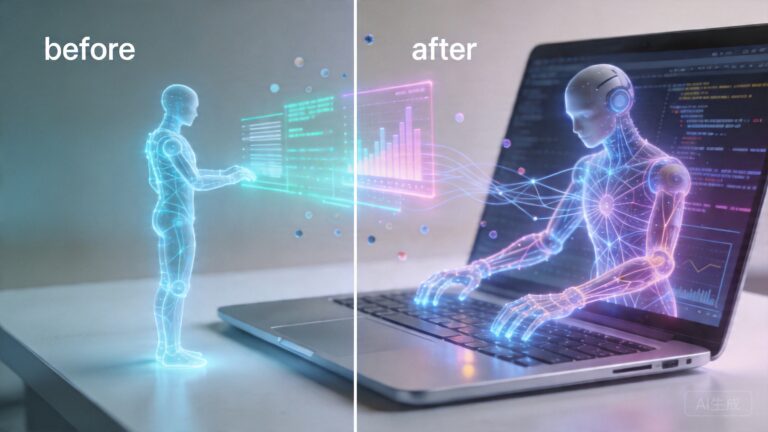
When Anthropic launched Claude Cowork in January 2026, it didn’t just introduce another AI chatbot — it delivered what many consider the first genuinely useful general-purpose AI agent. Unlike traditional assistants that generate text or answer questions, Cowork can actually do things on your computer: organize files, manage spreadsheets, navigate applications, and complete multi-step workflows without any coding knowledge required.
Three months later, the feature has expanded from a macOS-only research preview to full Windows support, gained remote control capabilities via smartphone, and sparked a competitive rush from OpenAI and Microsoft. Here’s what you need to know about Claude Cowork — and whether it’s ready to become your everyday digital coworker.
What Exactly Is Claude Cowork?
Claude Cowork is Anthropic’s desktop AI agent built on the same foundation as Claude Code, but designed for non-technical users. Instead of writing code, it handles everyday computing tasks:
- File management: Organizing, renaming, sorting, and categorizing files across your system
- Document processing: Reading, editing, and creating documents, spreadsheets, and presentations
- Application control: Opening apps, navigating interfaces, and filling out forms
- Multi-step workflows: Combining multiple actions into a single request — like “find all invoices from Q1, extract the totals, and put them in a spreadsheet”
According to Anthropic’s own documentation, Cowork first attempts to use existing integrations — such as Slack, calendars, and connected apps — before taking direct control of the desktop. Desktop manipulation is a fallback, not the default behavior, which is an important design choice for security and reliability.
“Everyone moves fast, everyone is incredibly smart, humble and supportive, and it’s really easy to get things done.” — Kiana Ehsani, co-founder of Vercept AI, on joining Anthropic
The Vercept AI Acquisition: Built in Under Four Weeks
The speed of Cowork’s development is remarkable. The feature is built on technology from Vercept AI, a startup Anthropic acquired in late 2025 that specialized in AI-powered computer control. Vercept co-founder Kiana Ehsani revealed on X (formerly Twitter) that her team shipped their first product for Anthropic in less than four weeks after joining the company.
Before the acquisition, Ehsani noted that everyone involved worried the corporate transition would slow development. The opposite proved true. She credits Anthropic’s culture as the key factor, calling its people the company’s “biggest competitive advantage.”
The Vercept acquisition was officially announced on February 26, 2026, and Cowork had already been in development based on their screen-reading and computer-control technology. This rapid integration timeline — from acquisition to shipped product in roughly a month — is unusually fast even for Silicon Valley standards.
Computer Use: From Research Preview to Cross-Platform
The most ambitious aspect of Cowork is its “computer use” capability — the ability to see your screen and control your mouse and keyboard. This feature rolled out in stages:
- January 2026: Initial launch as a research preview on macOS for Pro and Max subscribers
- March 2026: “Dispatch” feature added, allowing users to remotely control their desktop computer from any device, including smartphones
- April 3, 2026: Full Windows support launched with feature parity to macOS
The Dispatch feature, announced in mid-March, represents a significant expansion of Cowork’s utility. Users can now assign tasks to their AI agent from their phone and let it work on their desktop computer while they’re away — essentially creating a remote AI worker that operates on your actual machine.
Security Concerns and Real-World Incidents
Giving an AI agent control over your entire desktop is not without risks, and the community has already identified several concerning incidents:
The File Deletion Incident
In February 2026, a venture capitalist reported that Claude Cowork accidentally deleted 15 years of family memories while attempting to organize his wife’s desktop. The incident, widely covered by the Hindustan Times and The Economic Times, highlighted the very real dangers of granting AI systems write access to personal files.
The VC told reporters the experience “nearly gave me a heart attack.” While most files were recoverable from backups, the incident served as a cautionary tale about the importance of proper sandboxing and user confirmation before destructive operations.
Prompt Injection Vulnerabilities
Days after Cowork’s launch, security researchers demonstrated that the agent could be tricked into stealing files through prompt injection attacks. By embedding malicious instructions in file names or document contents, attackers could potentially manipulate Cowork into exfiltrating sensitive data.
These vulnerabilities are inherent to any AI system that reads and acts on untrusted content. Anthropic has since implemented additional safeguards, but the broader security community continues to monitor Cowork’s evolution closely.
The Competitive Landscape: OpenAI and Microsoft Respond
Anthropic’s move with Cowork has triggered immediate responses from competitors:
OpenAI beefed up its Codex desktop agent in April 2026, giving it more power over the user’s desktop to directly compete with Cowork’s capabilities. The company also launched Managed Claude Agents for enterprise customers, targeting business users who need scalable AI agent deployments.
Microsoft rushed to develop Copilot Cowork amid growing security concerns about Anthropic’s offering. The comparison between the two products — both now using the “Cowork” branding — has become a frequent topic in tech media, with Business Today publishing a detailed comparison of how the two approaches differ in architecture and access control.
The race is clearly on to define what an AI desktop agent should be — and who controls it.
What Cowork Gets Right (and Where It Still Falls Short)
After three months of real-world usage and extensive media coverage, several patterns have emerged:
Strengths
- No coding required: Cowork is designed for anyone who can type a request in natural language, dramatically expanding the addressable market beyond developers
- Rapid iteration: Anthropic’s pace of updates — from macOS preview to Windows parity in under three months — demonstrates serious engineering momentum
- Integration-first approach: By preferring API integrations over direct screen control, Cowork reduces risk and improves reliability for common tasks
- Remote operation: The Dispatch feature enables genuinely asynchronous work — set a task and walk away
Weaknesses
- Error rates: The file deletion incident and similar reports suggest Cowork is still not reliable enough for unsupervised operation on important files
- Security surface: Full desktop control creates a significantly larger attack surface compared to browser-only or API-only agents
- Research preview status: The feature remains labeled as a research preview, signaling Anthropic’s own acknowledgment that it’s not yet production-ready
- Subscription cost: Cowork requires a Pro or Max subscription, putting it out of reach for casual users
Practical Advice: How to Use Claude Cowork Safely
If you’re considering trying Claude Cowork, here are evidence-based recommendations from the community’s experience so far:
- Always maintain backups: The file deletion incident proves this isn’t optional. Use Time Machine, cloud backups, or version control before letting Cowork touch your files
- Start with read-only tasks: Ask Cowork to summarize documents or analyze data before giving it permission to modify anything
- Use the confirmation prompts: Never disable the safety confirmations that ask you to approve actions before they execute
- Avoid sensitive directories: Don’t point Cowork at folders containing financial records, personal photos, or confidential business documents
- Monitor actively: Especially during the research preview phase, watch what Cowork is doing rather than setting it and forgetting it
The Bigger Picture: Why Cowork Matters
Claude Cowork represents a fundamental shift in how we think about AI assistants. For the past two years, the dominant paradigm has been chat-based interaction — you type a prompt, the AI responds with text. Cowork breaks that model by giving AI agency: the ability to act in your digital environment, not just describe it.
This matters because most real-world work happens in applications, not in chat windows. If you want to reorganize a folder, update a spreadsheet, or file an expense report, you need something that can interact with the tools you already use — not something that tells you how to do it yourself.
The question is no longer whether AI agents will become part of our daily computing lives. The question is which company’s agent we’ll trust with our digital workspaces — and whether those agents will be safe enough to operate unsupervised.
What’s Next for Claude Cowork?
Anthropic has hinted at several upcoming features, including:
- Projects for Cowork: A system for organizing and managing complex, multi-step workflows on desktop (currently in testing)
- Improved safety controls: More granular permission management after the security incidents
- Enterprise features: Building on the Managed Claude Agents launch for organizational deployment
- Broader app integrations: Reducing the need for direct screen control by deepening API connections
With OpenAI’s upgraded Codex and Microsoft’s Copilot Cowork both in active development, the desktop AI agent space is about to become intensely competitive. For users, that competition should mean faster improvements, better safety features, and lower prices.
Bottom Line
Claude Cowork is the most ambitious attempt yet to build a general-purpose AI agent that works alongside you — not just talks to you. It’s impressive, fast-improving, and genuinely useful for the right tasks. But it’s also still a research preview with real risks, and the community’s early experiences include some cautionary tales.
If you’re a Pro or Max subscriber curious about the future of AI-assisted computing, Cowork is worth exploring — just keep your backups current and your expectations realistic. The technology is promising, but we’re still in the early chapters of this story.
Have you tried Claude Cowork? What tasks has it handled well — and where has it fallen short? Share your experiences in the comments below.
📖 Related: Anthropic’s Claude Cowork: The AI Agent Rewriting the Rules of Desktop Computing
📖 Related: Anthropic’s Claude Cowork: The AI Agent That Could Replace Your Most Tedious Office Tasks
📖 Related: Anthropic’s Claude Cowork: The AI Agent That’s Changing How Everyone Works With Files