Anthropic’s Claude Cowork: The AI Desktop Agent Reshaping How We Work
Anthropic’s Claude Cowork: The AI Desktop Agent Reshaping How We Work
When Anthropic launched Claude Cowork in January 2026, it didn’t just ship a new product — it drew a line in the sand for the entire AI agent industry. For the first time, a major AI company offered a desktop assistant that could autonomously work inside your files, organize your documents, and execute multi-step workflows without requiring a single line of code. Four months later, the landscape has shifted dramatically, with Cowork gaining desktop control, mobile management, and triggering an arms race among tech giants.
Here is a comprehensive look at what Claude Cowork is, how it has evolved, and why it matters for anyone who works at a computer.
What Is Claude Cowork?
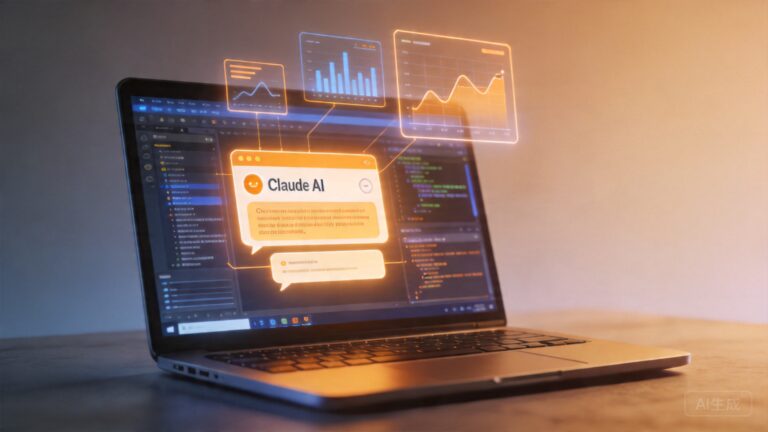
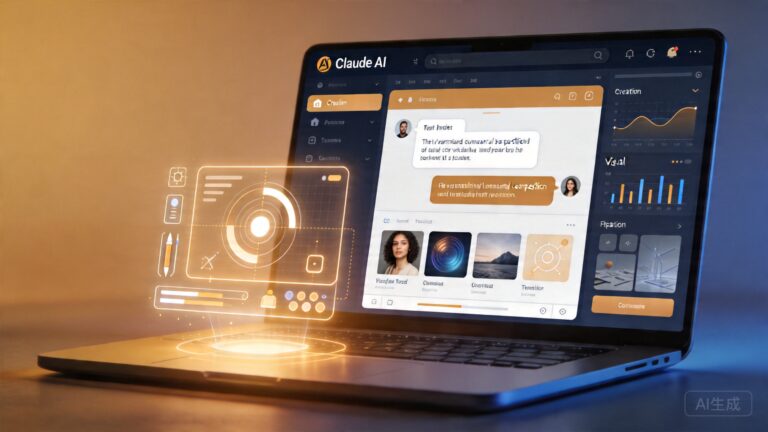
Claude Cowork is Anthropic’s answer to a simple but profound question: what if AI could do the work, not just talk about it? Unlike chat-based assistants that answer questions in a conversation window, Cowork operates directly on your computer’s filesystem. You give it a goal — “organize myDownloads folder by file type and date,” “find all invoices from Q1 and create a summary spreadsheet,” or “clean up my desktop” — and it executes the task autonomously.
The product grew out of Anthropic’s Claude Code, which demonstrated that an AI agent could read, write, and edit code files. Cowork generalized this capability for non-technical users. Instead of requiring command-line proficiency or programming knowledge, anyone can describe a task in plain English and let Claude handle the execution.
“Anthropic Cowork is the desktop PC partner you always wanted” — Financial Express
Key capabilities of the initial launch included:
- File organization: Sorting, renaming, and categorizing files across your computer
- Document processing: Reading PDFs, spreadsheets, and text files to extract and summarize information
- Multi-step workflows: Chaining operations together — find files, process them, generate reports
- Transparent operation: Every action is logged and visible, so you can review exactly what the agent did
The significance was immediate. Fortune noted that Claude Cowork “could threaten dozens of startups” built around file management, document automation, and productivity tools. If a single AI agent could handle these tasks natively on the desktop, the value proposition of many specialized SaaS products would erode.
From Files to Full Desktop Control: The March 2026 Expansion
The January launch was just the beginning. In March 2026, Anthropic announced that Claude Cowork and Claude Code could now take full control of your Mac or Windows desktop. This expanded the agent’s capabilities far beyond file manipulation.
With desktop control, Claude can:
- Interact with applications: Open programs, navigate interfaces, and perform actions within third-party software
- Browser automation: Visit websites, fill forms, and extract data from web pages
- System administration: Change settings, manage preferences, and configure system-level options
- Cross-application workflows: Coordinate between multiple apps — for example, pulling data from a spreadsheet, pasting it into an email, and sending it
The Decoder reported on this development under the headline “Claude Code and Cowork now let Anthropic’s AI take control of your Mac or Windows desktop,” while Engadget covered it as a significant milestone in the evolution of desktop AI agents.
This expansion brought Cowork into direct competition with a much broader set of tools — not just file managers, but also RPA (Robotic Process Automation) platforms, browser automation tools, and general-purpose productivity suites.
Remote Control From Your Phone: Claude Dispatch
In March 2026, Anthropic also introduced Claude Dispatch, a feature that lets you start and monitor Cowork tasks from your mobile phone. This addressed a key limitation of the initial launch: you had to be at your computer to give Cowork instructions.
With Dispatch, the workflow looks like this:
- Open the Claude app on your phone
- Describe a task you want done on your desktop computer
- Cowork executes the task on your desktop while you are away
- You receive results and can review what was done
Forbes covered the update under the headline “Anthropic Update Lets You Control Claude Cowork With Your Phone,” and Geeky Gadgets described it as “Remote Control for Your AI Desktop Agent.” The feature effectively turned Cowork from a desktop-bound assistant into a truly mobile-managed workforce.
This capability has particular implications for professionals who need to trigger batch processing, report generation, or data organization tasks while away from their desks — a common scenario for consultants, researchers, and managers.
The Competitive Response: An AI Agent Arms Race
Anthropic’s move with Cowork did not go unanswered. Within weeks, competitors announced their own desktop agent initiatives:
Microsoft Copilot Cowork. Microsoft rushed to respond with its own “Copilot Cowork” offering, leveraging its deep integration with Windows and the Office suite. Business Today published a comparison titled “Microsoft Copilot Cowork explained: How it differs from Anthropic’s Claude Cowork,” highlighting the different approaches each company takes to desktop automation.
OpenAI’s Codex upgrade. In April 2026, TechCrunch reported that “OpenAI takes aim at Anthropic with beefed-up Codex that gives it more power over your desktop.” OpenAI’s Codex, originally positioned as a coding tool, received expanded desktop control capabilities that directly paralleled Cowork’s March update.
The competitive dynamics are notable: Anthropic moved first with a research preview, then rapidly iterated based on user feedback. Microsoft responded with enterprise-focused features, while OpenAI expanded its developer-oriented tool for general desktop use.
Safety Concerns and Real-World Incidents
The power of desktop AI agents comes with inherent risks. When an agent can control your files, applications, and system settings, the potential for unintended consequences is significant.
In February 2026, Hindustan Times reported a widely discussed incident where Claude Cowork “deletes 15 years of family memories,” prompting a venture capitalist to say it “nearly gave me a heart attack.” The incident underscored the critical importance of safety guardrails in autonomous agents.
Anthropic has acknowledged these concerns and built several safeguards into Cowork:
- Human-in-the-loop confirmations: Destructive actions require explicit user approval
- Activity logging: Every action taken by the agent is recorded and reviewable
- Sandboxed operations: Certain high-risk operations are restricted by default
- Undo capabilities: Many operations can be reversed if the agent makes an error
Despite these safeguards, the February incident serves as a reminder that AI agents operating on personal data require careful design and user education. As Fast Company noted, Cowork “could be the first really useful general-purpose AI agent” — but usefulness must be balanced with safety.
How Claude Cowork Compares to the Competition
As the desktop AI agent market heats up, here is how the major players stack up:
- Anthropic Claude Cowork: Best for non-technical users who want natural language control over their desktop files and applications. Strongest safety model with constitutional AI principles. Built in just 10 days according to developer reports.
- Microsoft Copilot Cowork: Deepest integration with Windows OS and Microsoft 365. Best for enterprise users already in the Microsoft ecosystem. Leverages Copilot’s existing presence in Word, Excel, and Teams.
- OpenAI Codex: Originally built for developers, now expanding to general desktop tasks. Strongest coding capabilities but steeper learning curve for non-technical users.
The key differentiator for Anthropic is its focus on accessibility. As eWeek put it: “Anthropic Just Turned Claude Code Into Cowork — and It’s Not Just for Coders.” This positioning has allowed Cowork to capture users who would never have touched Claude Code.
Practical Use Cases for Claude Cowork
What can you actually do with Cowork today? Here are some of the most compelling use cases emerging from early adopters:
- Research assistants: Ask Cowork to find all PDFs related to a topic across your hard drive, extract key findings, and create a summary document
- Financial organization: Automatically sort bank statements, receipts, and invoices by date and category for tax preparation
- Content workflows: Gather images from a folder, resize them, rename them according to a pattern, and organize them into subfolders
- Email triage: Open your email client, identify messages from specific senders, extract attachments, and file them appropriately
- Data consolidation: Pull information from multiple spreadsheets, combine it into a master file, and generate charts
The common thread is that Cowork excels at repetitive, multi-step tasks that currently require human attention but follow predictable patterns.
What Comes Next for Desktop AI Agents
The trajectory is clear: AI agents are moving from conversational interfaces to autonomous action. Claude Cowork represents a critical inflection point in this transition. Here is what to watch for in the coming months:
- Enterprise adoption: Anthropic has already launched managed Claude agents for enterprises, as reported in April 2026. Organizations will need governance frameworks for agent deployment.
- Cross-platform ecosystems: Expect tighter integration between Cowork and cloud services like Google Drive, Dropbox, and OneDrive.
- Regulatory scrutiny: Desktop agents that can access personal files and execute actions will likely face privacy and security regulation.
- Market consolidation: As Fortune predicted, standalone productivity startups may struggle to compete with built-in AI agents.
Getting Started with Claude Cowork
If you are interested in trying Claude Cowork, here is what you need to know:
- Availability: Cowork is available through the Claude Desktop app for both macOS and Windows
- Access: Requires a Claude subscription — check claude.ai for current pricing and plan options
- Projects feature: Anthropic launched a “Projects” feature for Cowork in March 2026, allowing you to organize and manage multiple agent workflows
- Mobile control: Use the Claude mobile app with Claude Dispatch to manage tasks remotely
The technology is still evolving, and Anthropic has been transparent about labeling certain features as research previews. Early adopters should approach with appropriate caution — especially regarding access to irreplaceable personal files.
The Bottom Line
Claude Cowork represents a fundamental shift in how we think about AI assistants. Rather than being tools you talk to, they are becoming tools that act on your behalf. The ability to describe a task in plain language and have an AI agent execute it across your desktop — organizing files, processing documents, and coordinating between applications — is transformative for productivity.
But with that power comes responsibility. The February incident involving accidental deletion of personal files is a sobering reminder that autonomous agents need robust safeguards, and users need to understand what they are delegating.
As the competition between Anthropic, Microsoft, and OpenAI intensifies, one thing is certain: the era of the AI desktop agent has arrived, and it is moving faster than most people expected. The question is no longer whether AI agents will become part of our daily workflow — it is how quickly we can adapt to working alongside them.
Have you tried Claude Cowork or any desktop AI agent? Share your experience in the comments below.
📖 Related: Anthropic’s Claude Cowork: How a Desktop AI Agent Built in 10 Days Is Reshaping the Future of Work
📖 Related: Anthropic’s Claude Cowork: The AI Agent That Wants to Do Your Work For You
📖 Related: Anthropic’s Claude Cowork: The AI Desktop Agent That Promises to Replace Your Productivity Stack