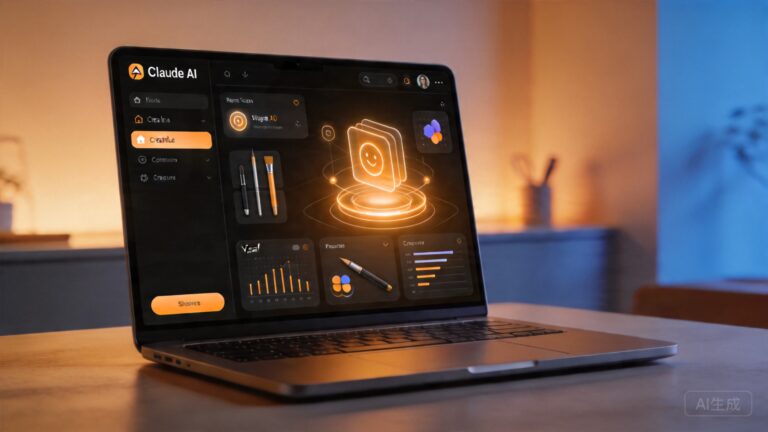
Anthropic’s Claude Cowork: The AI Agent That Works in Your Files Without Writing a Single Line of Code
Anthropic’s Claude Cowork: The AI Agent That Works in Your Files Without Writing a Single Line of Code
When Anthropic launched Claude Cowork on January 12, 2026, it wasn’t just another AI feature rollout — it was a signal that the era of autonomous desktop agents had arrived for mainstream users. Unlike traditional chatbots that respond to prompts, Cowork actively works within your file system, organizing documents, extracting insights, and completing multi-step tasks without requiring any programming knowledge.
The announcement sent ripples through the tech industry. Within weeks, competitors including OpenAI and Microsoft announced rival offerings. But what exactly is Claude Cowork, how does it work, and should you be paying attention? Here’s a deep dive into one of the most consequential AI product launches of 2026.
What Is Claude Cowork?
Claude Cowork is Anthropic’s desktop AI agent that brings the autonomous capabilities of Claude Code — the company’s popular coding assistant — to everyday computer users. Think of it as a virtual colleague that can browse your files, read documents, compare spreadsheets, and execute complex workflows — all through natural language instructions.
The key differentiator is accessibility. Where Claude Code requires terminal proficiency and coding knowledge, Cowork operates through a graphical desktop interface. You simply tell it what you need done, and it gets to work.
“Pretty much all the code for Cowork was generated using Claude Code,” said Boris Cherny, the inventor of Claude Code, shortly after the launch.
The irony isn’t lost on industry observers: an AI coding tool built the AI agent that’s designed to help non-coders. According to Product Manager Felix Rieseberg, the entire application came together in roughly a sprint and a half — about one and a half weeks of intensive development.
Key Capabilities That Set Cowork Apart
Claude Cowork goes far beyond what traditional AI assistants can do. Here’s what makes it genuinely useful:
- File System Access: Cowork can read, organize, search, and manipulate files across your computer. It understands document context and can pull information from multiple sources simultaneously.
- Multi-Document Synthesis: Ask it to compare quarterly reports across five different spreadsheets, and it will read each file, extract relevant data points, and compile a summary — tasks that would normally take hours.
- Autonomous Task Completion: Unlike chat-based AI that requires step-by-step prompting, Cowork can plan and execute multi-step workflows independently. It breaks down complex requests into subtasks and works through them sequentially.
- Computer Control: In a major update released in March 2026, Cowork gained the ability to actively control your Mac or Windows desktop — clicking, typing, and navigating applications on your behalf. This transformed it from a file assistant into a true desktop agent.
- Project Management: The “Projects” feature, rolled out in late March, lets users create persistent workspaces where Cowork maintains context across multiple sessions, essentially functioning as an ongoing collaborator rather than a session-by-session tool.
The Rapid Evolution: From Launch to Desktop Control
Claude Cowork’s development timeline is remarkable not just for its speed, but for the pace of updates that followed:
January 12, 2026: Cowork launches as a research preview, initially exclusive to Max subscribers at $200 per month — putting it out of reach for most users.
January 16, 2026: Just four days later, Anthropic expanded access to Pro subscribers at $20 per month, though with lower usage limits due to Cowork’s higher token consumption compared to regular chat.
February 11, 2026: Cowork lands on Windows, expanding beyond its initial macOS exclusivity. VentureBeat reported this as a major move toward mainstream adoption.
March 9, 2026: Microsoft announces Copilot Cowork with help from Anthropic — a cloud-powered AI agent that works across Microsoft 365 applications, signaling enterprise-level integration.
March 20, 2026: Anthropic introduces mobile control for Cowork, letting users initiate and monitor tasks from their phones. Forbes covered this as a significant step toward remote productivity.
March 24, 2026: The biggest update yet — Cowork gains full computer control capabilities on both Mac and Windows. The Verge, CNBC, and Engadget all covered this as a watershed moment for AI agents.
April 16, 2026: OpenAI responds with an upgraded Codex that gives its AI similar desktop control powers, intensifying the competition.
The Startup Threat: Which Companies Should Worry?
Fortune’s analysis captured what many in Silicon Valley were thinking: Cowork could threaten dozens of startups. The implications are significant:
- Document management tools that organize, tag, and search files now face competition from an AI that does all of this through natural language.
- Productivity apps built around task automation — from Zapier to Make — must contend with an agent that can replicate workflows without pre-built integrations.
- Research tools that synthesize information from multiple sources face a direct competitor that can read and compare documents natively.
- Virtual assistant services that handle administrative file work now have an AI alternative available for $20 per month.
The common thread: any startup whose core value proposition is “we help you manage information” needs to reassess its moat when Claude Cowork can do the same thing inside the desktop app millions of people already use.
How Cowork Compares to the Competition
The AI agent landscape has become fiercely competitive. Here’s how Cowork stacks up:
OpenAI’s Codex: OpenAI’s upgraded Codex offers similar desktop control capabilities but requires more technical setup. Cowork’s advantage lies in its polished, consumer-ready interface and Anthropic’s reputation for helpful, harmless AI behavior.
Microsoft Copilot Cowork: Built with Anthropic’s technology, this version is specifically optimized for Microsoft 365 workflows. It’s the enterprise play — designed for organizations already invested in the Microsoft ecosystem.
Traditional AI Chatbots: Tools like standard ChatGPT or Claude in browser mode can’t access your file system or execute actions on your computer. Cowork’s desktop-native architecture gives it a fundamentally different capability set.
Practical Use Cases: What Can You Actually Do with Cowork?
Here are real-world scenarios where Claude Cowork delivers measurable value:
- Financial analysis: “Read all my expense reports from Q4, categorize them by department, and create a summary table.” Cowork opens each file, extracts data, and compiles results in minutes.
- Content creation: “Take these 10 research papers, extract the key findings, and draft a literature review section.” Cowork reads all documents and generates a structured summary.
- Project organization: “Find all files related to Project X from the last three months and organize them into folders by type.” Cowork searches, identifies, and reorganizes automatically.
- Email drafting: “Review these client meeting notes and draft follow-up emails for each person mentioned.” Cowork extracts action items and generates personalized messages.
- Data cleaning: “This spreadsheet has duplicate entries and inconsistent formatting. Clean it up and flag any anomalies.” Cowork identifies patterns and corrects errors.
Privacy and Security Considerations
Giving an AI agent access to your file system raises legitimate concerns. Anthropic has addressed these through several mechanisms:
- Confirmation prompts: Cowork asks for confirmation before deleting files or making irreversible changes, a feature added in early updates after initial user feedback.
- Transparent execution: Every action Cowork takes is logged and visible to the user. You can review exactly what the agent did and why.
- Local processing: Unlike cloud-based agents, Cowork runs on your desktop, meaning your file contents aren’t transmitted to external servers during processing.
- Permission boundaries: Users can configure which directories and file types Cowork is allowed to access, limiting its scope to specific projects or folders.
Despite these safeguards, security experts recommend treating Cowork with the same caution you’d apply to any tool with elevated system access. Start with limited permissions and expand as you build trust in the agent’s behavior.
The Bottom Line: Is Claude Cowork Worth It?
At $20 per month for Pro subscribers, Claude Cowork represents one of the most accessible entry points into AI agent technology. For knowledge workers who regularly handle documents, spreadsheets, and multi-step information tasks, the time savings alone can justify the cost.
The tool is particularly valuable for:
- Analysts who need to synthesize information from multiple sources
- Project managers coordinating across documents and teams
- Researchers conducting literature reviews and data extraction
- Small business owners managing administrative workflows
- Anyone who spends more than 5 hours per week organizing files and information
The caveats: Cowork is still labeled a “research preview” with “rough edges,” per Anthropic’s own characterization. Token consumption is high, meaning heavy users may hit usage limits. And the competitive landscape is shifting rapidly — OpenAI, Microsoft, and others are all pushing desktop AI agents with similar capabilities.
What’s Next for Desktop AI Agents
2026 is shaping up to be the year of the autonomous desktop agent. Claude Cowork proved there’s massive demand for AI that doesn’t just talk but acts. The trajectory is clear: future versions will offer deeper system integration, broader application support, and increasingly sophisticated task planning.
The companies that win in this space won’t be those with the most capable AI models alone — they’ll be those that build the best interfaces between AI capability and human workflow. Anthropic’s rapid iteration on Cowork suggests they understand this deeply.
Ready to experience AI that actually does the work? Try Claude Cowork today — and discover what happens when your AI assistant stops chatting and starts doing.
📖 Related: Anthropic’s Claude Cowork: The AI Agent That Finally Works Like a Real Colleague
📖 Related: Anthropic’s Claude Cowork: The AI Agent That Actually Works on Your Desktop
📖 Related: Anthropic’s Claude Cowork: The AI Agent That Turns Your Desktop Into a Smart Workspace