Anthropic’s Claude Cowork: The AI Agent That Wants to Do Your Work For You
Anthropic’s Claude Cowork: The AI Agent That Wants to Do Your Work For You
In January 2026, Anthropic dropped a product that sent shockwaves through the AI industry. It wasn’t a new model — it was an entirely new way of interacting with AI. Claude Cowork, a desktop-based AI agent that works directly inside your files without requiring any coding knowledge, promised to blur the line between human and machine collaboration. Three months later, the tool has expanded to Windows, gained desktop control capabilities, and drawn partnerships with Microsoft — making it one of the fastest-evolving AI products in recent memory.
What Is Claude Cowork?
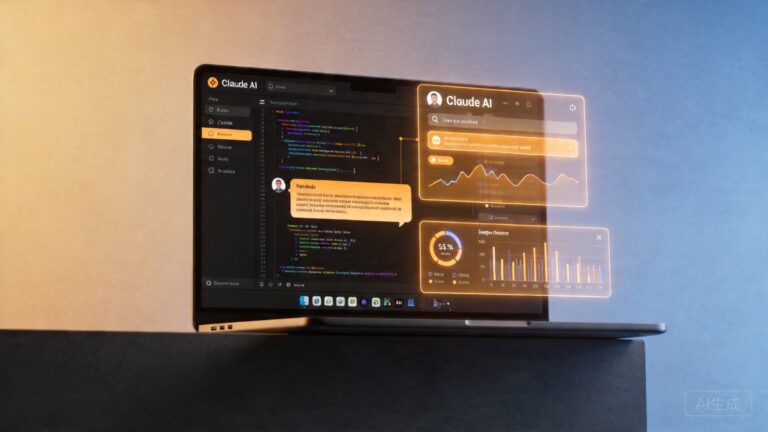
Claude Cowork is essentially “Claude Code for the rest of us.” While Claude Code was designed specifically for developers who needed an AI pair programmer, Cowork takes the same agent architecture and applies it to everyday computer tasks. Instead of writing code, Cowork reads documents, organizes files, creates spreadsheets, edits presentations, and performs multi-step workflows across your desktop applications — all through natural language instructions.
The key innovation is what Anthropic calls computer use — the ability for Claude to see your screen, move your cursor, click buttons, type into fields, and interact with any application on your Mac or Windows machine. As The Verge reported in March 2026, this means Claude can literally “use your computer” to complete tasks that previously required human intervention.
“Claude Cowork is an AI agent that actually works — it’s not just another chatbot pretending to be helpful.” — WIRED
How It Works Under the Hood
Cowork operates through a combination of three core technologies:
- Vision-based screen understanding: Claude processes screenshots of your desktop to understand what’s on screen, similar to how a human would look at a monitor.
- Natural language task planning: When you give Cowork a high-level instruction like “organize the Q1 sales data from these spreadsheets into a summary report,” it breaks the task down into actionable steps.
- Desktop automation: Claude executes those steps by controlling your mouse and keyboard, opening applications, reading files, and generating output.
This approach differs fundamentally from API-based agents that work through software integrations. Cowork doesn’t need an API connection to Excel, Google Docs, or your email client — it simply uses them the way you would, by looking at the screen and interacting with the interface.
The Timeline: From Launch to Desktop Control
Cowork’s evolution has been remarkably fast:
- January 12, 2026: Anthropic launches Claude Cowork for Mac, positioning it as a file-management AI agent. Early coverage from TechCrunch described it as “Claude Code without the code” — a tool for knowledge workers who don’t program but still need AI automation.
- February 11, 2026: Cowork expands to Windows, opening the product to the vast majority of enterprise desktop users. VentureBeat noted that this move “signals Anthropic’s ambition to automate the workday” for millions of office workers.
- March 20, 2026: Anthropic releases a mobile control feature, letting users monitor and direct Cowork sessions from their phones. Forbes highlighted this as a key productivity enabler for remote workers.
- March 24, 2026: The biggest update yet — Claude Code and Cowork gain full computer control, able to take over your Mac or Windows desktop. Engadget and The Verge both covered this as a watershed moment for AI agent capabilities.
- April 9, 2026: Anthropic launches Managed Claude Agents for enterprises, offering IT departments centralized control and governance over AI agent deployments.
Why Cowork Threatens Dozens of Startups
Fortune ran a headline that captured the industry anxiety: “Anthropic launches Claude Cowork, a file-managing AI agent that could threaten dozens of startups.” The reasoning is straightforward. Cowork competes directly with:
- Document automation tools like DocuSign’s AI features and various contract analysis platforms
- Data processing startups that specialize in extracting, cleaning, and transforming spreadsheet data
- Workflow automation platforms like Zapier and Make (formerly Integromat), which connect apps through APIs
- AI writing assistants including Grammarly, Jasper, and Copy.ai
- Personal productivity tools like Notion AI and various task management assistants
The competitive threat isn’t that Cowork is better at any single task — it’s that one tool can do many tasks. A knowledge worker who might currently use three or four specialized AI tools could theoretically replace them all with a single Cowork subscription.
Microsoft’s Copilot Cowork: The Enterprise Play
In March 2026, the story took an even more significant turn. VentureBeat reported that Microsoft announced “Copilot Cowork” with help from Anthropic — a cloud-powered AI agent that works across Microsoft 365 applications including Word, Excel, PowerPoint, and Teams.
This partnership is strategically significant for several reasons:
- It gives Anthropic’s technology access to Microsoft’s enterprise customer base of over 400 million M365 users
- It validates the “cowork” paradigm as the future of workplace AI, not just a consumer novelty
- It creates direct competition with OpenAI’s integration into Microsoft’s ecosystem
The irony isn’t lost on industry observers: Anthropic and OpenAI are now competing for the same desktop AI agent territory, with Microsoft playing both sides.
Hands-On: What It’s Actually Like to Use
Tom’s Guide tested Claude Cowork and came away impressed, writing that it “feels more like a coworker than a chatbot.” The review highlighted several practical use cases:
- Document comparison: Asking Cowork to compare two versions of a contract and highlight the differences, which it did by opening both files side by side and reading through them
- Data organization: Giving Cowork a folder of disorganized expense reports and asking it to categorize and summarize them into a single spreadsheet
- Presentation creation: Describing a business presentation and having Cowork build the slides in PowerPoint, complete with charts pulled from Excel data
The experience is not without friction. Cowork occasionally misreads screen elements, struggles with complex layouts, and can be slower than a human at routine tasks. But for multi-step processes that combine several applications, the time savings are substantial.
The Safety Question: Should You Let AI Control Your Desktop?
Full computer control raises obvious security concerns. Anthropic has addressed these through several safeguards:
- Human-in-the-loop approval: Cowork asks for confirmation before performing sensitive actions like sending emails or deleting files
- Activity logging: Every action Cowork takes is recorded and reviewable
- Sandboxed access: Administrators can restrict which applications and file paths Cowork can access
- Real-time monitoring: The mobile control feature lets users watch Cowork’s actions live and intervene at any point
These measures are more robust than many competing AI agents, but security researchers caution that any system with screen access and input control represents a fundamentally new attack surface that enterprises must evaluate carefully.
Practical Tips for Getting Started with Claude Cowork
If you’re considering trying Claude Cowork, here are some best practices based on early adopter experiences:
- Start with low-risk tasks: Begin by having Cowork organize files or summarize documents before letting it send emails or modify critical data
- Be specific in your instructions: “Create a summary of the Q1 sales report” works better than “look at the sales report” — specificity reduces misinterpretation
- Use the Projects feature: Anthropic’s upcoming Projects functionality lets you organize Cowork sessions around specific work contexts, improving continuity and results
- Set up monitoring alerts: Enable notifications so you know when Cowork needs approval for sensitive actions, especially if you’ve started a task and stepped away
- Review the activity log: After each session, review what Cowork did. This builds trust over time and helps you refine your instructions
The Bigger Picture: The Dawn of General-Purpose AI Agents
Fast Company asked whether Cowork could be “the first really useful general-purpose AI agent,” and the answer increasingly appears to be yes. The significance isn’t just about one product — it’s about a paradigm shift in how we think about AI.
For the past two years, AI has largely been conversational. You type a prompt, get a response, and manually apply that output to your work. Cowork changes the equation: instead of giving you text to work with, it does the work itself. This shift from advisory AI to executive AI is what makes Cowork feel like a genuinely new category of software.
The competition is heating up. OpenAI has responded by expanding Codex’s desktop capabilities, and Google is reportedly working on similar agent features for Gemini. The race is no longer about who has the smartest model — it’s about who can build the most capable, reliable, and safe AI agent that people actually want to work alongside.
What’s Next for Claude Cowork
Based on Anthropic’s rapid release cadence, we can expect several developments in the coming months:
- Linux support to cover all major desktop operating systems
- Deeper enterprise integrations through the Managed Claude Agents platform
- Improved accuracy in screen understanding and task execution as the underlying models improve
- Collaborative multi-agent workflows where multiple Cowork instances coordinate on complex projects
One thing is certain: the era of AI as a chatbot is ending. The era of AI as a coworker has begun. The question isn’t whether AI agents will become part of daily work — it’s how quickly organizations will adapt their workflows, security policies, and training programs to make the most of them.
Ready to Try Claude Cowork?
If you’re a Mac or Windows user with a Claude subscription, Cowork is available now through the Claude Desktop application. Start with simple file organization tasks, gradually expand to more complex workflows, and pay attention to how the technology evolves. Whether you view it as a productivity multiplier or a threat to specialized tools, Claude Cowork represents the future of human-AI collaboration — and it’s already here.
What tasks would you trust an AI agent to handle on your desktop? The answer might surprise you.
📖 Related: Anthropic’s Claude Cowork: The AI Desktop Agent That Promises to Replace Your Productivity Stack
📖 Related: Anthropic’s Claude Cowork: The AI Agent That Finally Takes Control of Your Desktop
📖 Related: Pentagon Signs Classified AI Deals With OpenAI, Google, Nvidia and More — Anthropic Left Out